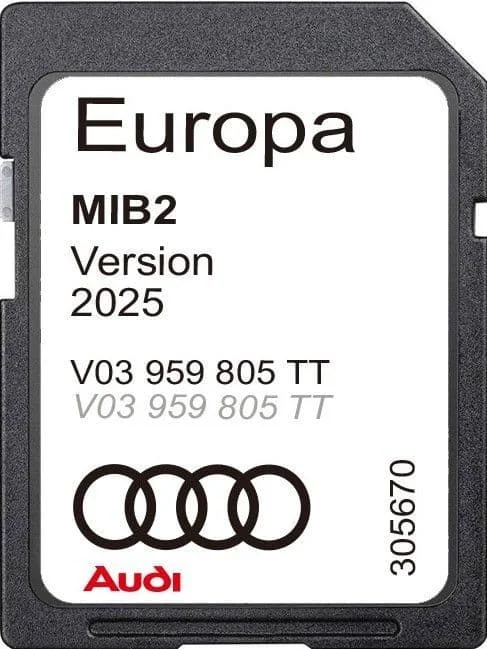
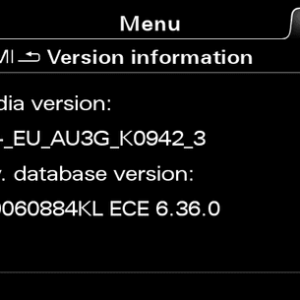
How to Check Software Version
TT / R8 / A4 / A5 / Q2 / Q5 / Q7 / A3
Hold NAV (up) + RADIO (down) for ~5 seconds → Release → Select “Version Information”.
A6 / A7
Hold TOP LEFT + RETURN buttons for ~5 seconds → Release → Select “Version Information”. Close engineering menu with the same combination.
Compatible Audi Models
Model Supported Years
Audi A3 / S3 / RS3 2015–2022
Audi A4 / S4 / RS4 2015–2022
Audi A5 / S5 / RS5 2016–2022
Audi A6 / S6 / RS6 2014–2019
Audi A7 / S7 / RS7 2014–2019
Audi Q2 / SQ2 / RSQ2 2015–2022
Audi Q5 / SQ5 / RSQ5 2016–2022
Audi Q7 / SQ7 / RSQ7 2016–2022
Audi TT / TTS / TTRS 2015–2022
Audi R8 2015–2022
Coverage — Map Version 2025/2026 (Europe)
Region Countries Included
Europe Albania, Andorra, Austria, Belarus, Belgium, Bulgaria, Bosnia & Herzegovina, Croatia, Cyprus, Czech Republic, Denmark, Estonia, Finland, France, Germany, Gibraltar, Greece, Hungary, Iceland, Ireland, Italy, Kosovo, Latvia, Liechtenstein, Luxembourg, North Macedonia, Malta, Monaco, Netherlands, Norway, Poland, Portugal (incl. Madeira & Azores), Romania, Russia (incl. Kaliningrad Oblast), San Marino, Serbia, Slovakia, Slovenia, Spain (incl. Canary Islands), Sweden, Switzerland, Turkey, Ukraine, United Kingdom (England, Wales, Scotland, Northern Ireland incl. Channel Islands & Isle of Man), Vatican City
Notes & Requirements
It’s possible you may need to make some coding changes so the navigation will display on the Virtual Cockpit screen. These simple changes can be done with VCDS/OBD11 or similar tools. If your car is already equipped with factory navigation, this is not required.
Arviot
Tuotearvioita ei vielä ole.